Image 1 of 13




Microsoft
"Windows 11 Home"
Model: KW9-00633Color: BlackUPC: 889842905274
Where to Buy
Newest price seen: Sep 19, 2026
| Retailer | Price | Last seen | Buy |
|---|---|---|---|
 Walmart Sold by Seller | $31.99 | Aug 30, 2025, may have changed | Buy Now |
 Amazon Sold by PCH MICRO | $117.00 | Sep 19, 2026 | Buy Now |
 Micro Center | $119.99 | Sep 19, 2026 | Buy Now |
G gigaparts.com | $129.99 | Sep 19, 2026 | Buy Now |
C CompSource | $141.37 | Sep 19, 2026 | Buy Now |
Prices are collected from retailer listings; each row shows the date we last saw that price.
Pros
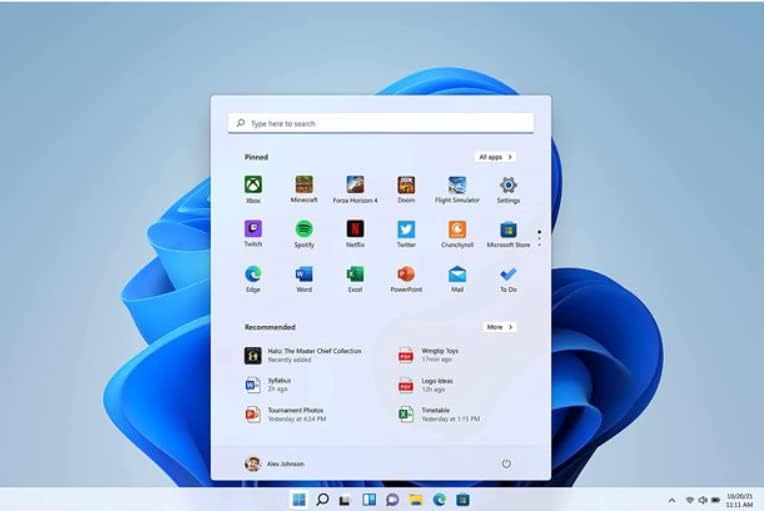
- •The new user interface is sleek, modern, and visually appealing, making your Windows experience feel fresh.
- •Multitasking features like Snap Layouts, Snap Groups, and automatic window management boost productivity significantly.
- •Voice Typing is a well-implemented feature that makes note-taking and document creation easier.
- •The integrated Copilot AI offers helpful assistance with tasks like summarizing, writing, and creating images.
- •Windows 11's performance improvements lead to faster boot times and smoother multitasking.
- •Gaming enhancements such as Auto HDR and DirectStorage technology improve visuals and load times.
- •The rounded corners, centered taskbar, and translucent textures give the OS a polished modern look.
- •Compatibility with most existing apps is maintained, easing the transition from Windows 10.
- •Built-in security features like hardware isolation, malware protection, and Windows Hello bolster your data safety.
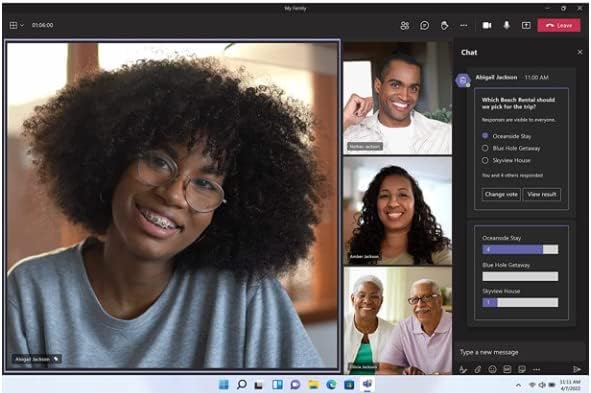
- •Microsoft Teams is now integrated directly, streamlining communication.
Cons
- •The Start menu and taskbar are somewhat limited in customization — no resizing or extensive pinning options.
- •Visual inconsistencies and UI irregularities, especially in context menus, can disrupt a cohesive look.
- •Some features like Timeline, and full taskbar drag-and-drop, are removed or restricted, which might frustrate power users.
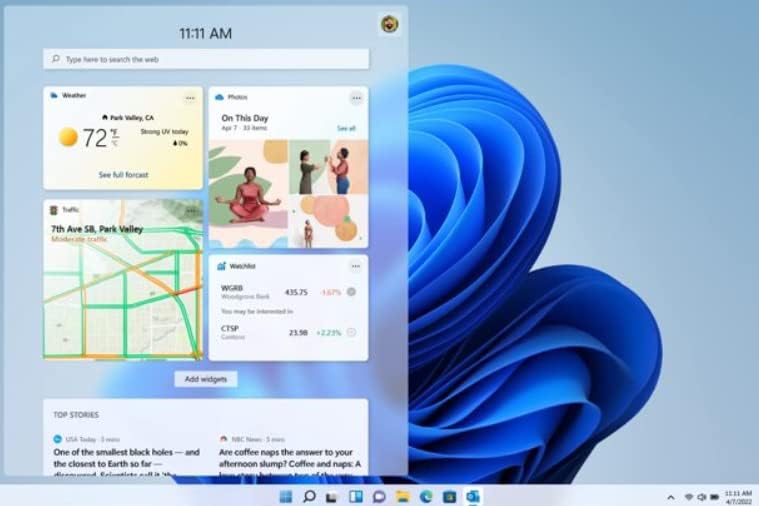
- •Widgets are poorly designed, often low-quality and intrusive, offering limited utility.
- •Windows 11 Home demands a Microsoft account and Wi-Fi connection for sign-in, reducing flexibility.
- •The OS release feels a bit rushed, with some promised features missing or buggy, requiring updates.
- •Compatibility issues remain with ARM devices, and driver support isn’t fully mature.
- •Certain navigation and settings improvements are appreciated but still can be confusing or incomplete.
- •Some under-the-hood improvements, like performance tuning, are not yet fully impactful for typical users.
- •You may want to wait for more stability and feature refinement before upgrading, especially on older hardware.
Bottom Line
If you’re after a fresh, visually striking Windows experience with enhanced multitasking and gaming features, Windows 11 Home has a lot to offer — but be prepared for some rough edges, missing features, and hardware compatibility quirks. For most casual users, it’s a solid upgrade, especially if you already meet the hardware requirements. However, early adopters or power users needing full customization and stability might want to wait until Microsoft polishes the OS further.
What Reviewers Are Saying
Praised
beautiful design40%
excellent multitasking features20%
gaming enhancements20%
UI feels fresh and modern20%
easy to access applications20%
Criticized
start menu needs work60%
notification/calendar bar is terrible20%
visual inconsistencies40%
rushed to market40%
drawbacks for older systems20%
Customer Ratings
4.02,029 reviews
Detailed star breakdown not available for this product.
Based on 2,029 reviews from Amazon
Professional Reviews
Windows 11 Home vs. Windows 11 Pro: Which Edition Do You Actually Need?
cnet.com·Ara Wagoner·1 years ago
Windows 11 review
techradar.com·Daryl Baxter·4 years ago
Windows 11 Review: Fresh, Familiar, Incomplete
thurrott.com·Paul Thurrott·5 years ago
Windows 11 Review: An Unnecessary Replacement for Windows 10
pcworld.com·Mark Hachman·5 years ago
Microsoft Windows 11 Review: A Redesigned, Copilot-Powered OS
pcmag.com·Michael Muchmore
📚More About "Windows 11 Home"
Discussion
🔍About This Page
ShopSavvy compares prices across thousands of retailers so you always get the best deal. Prices are collected from retailer listings, and each one shows the date we last saw it. Our expert reviews and community discussion help you make informed buying decisions.